Luma’s AI Video Tools Now Work Inside ChatGPT and Claude
Luma’s new MCP connector brings product shots, relighting, background swaps and video generation into ChatGPT and Claude, powered by your Luma credits.

Luma has launched an MCP connector that brings its image and video tools into ChatGPT and Claude. Users can now generate product shots, change camera angles, relight scenes and turn the results into short promo clips without leaving the chat.
The connector launched November 3. It’s built for marketing and ad teams that need a steady supply of fresh creative, but it also gives anyone already working in an AI assistant a direct line to Luma’s generation tools.
How the Luma Connector Works
Setup is a one-time account link. In Claude, clicking “Add Luma to Claude” on Luma’s setup page opens Claude’s connector window with Luma’s MCP server URL filled in. From there, you click Connect and sign in with your Luma account.
Luma says the steps are the same on desktop and web. For Claude Team and ChatGPT Business workspaces, an admin adds Luma for the whole team, and each member signs in with their own Luma account.
Once connected, finished images and video appear directly in the conversation. Luma’s example is asking an assistant which of last week’s ads performed best, then having Luma restyle that ad with new scenes, camera angles and lighting in the same thread.
What You Can Do From the Chat
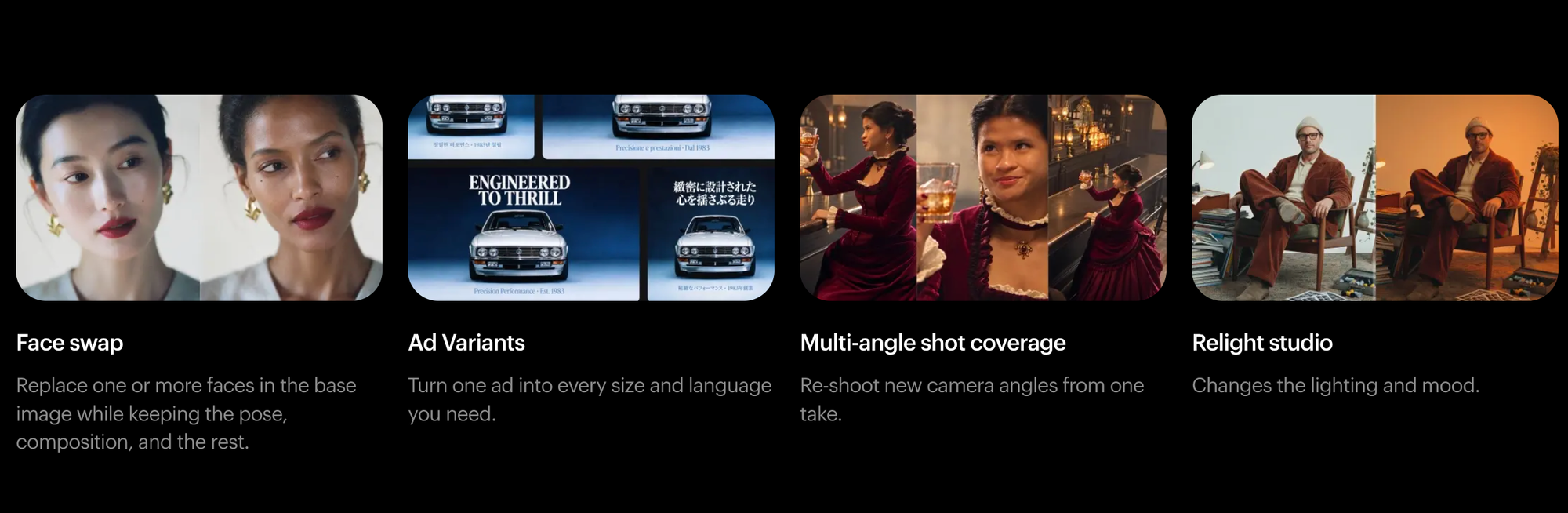
Luma lists eight preset workflows on its setup page:
- Product shots
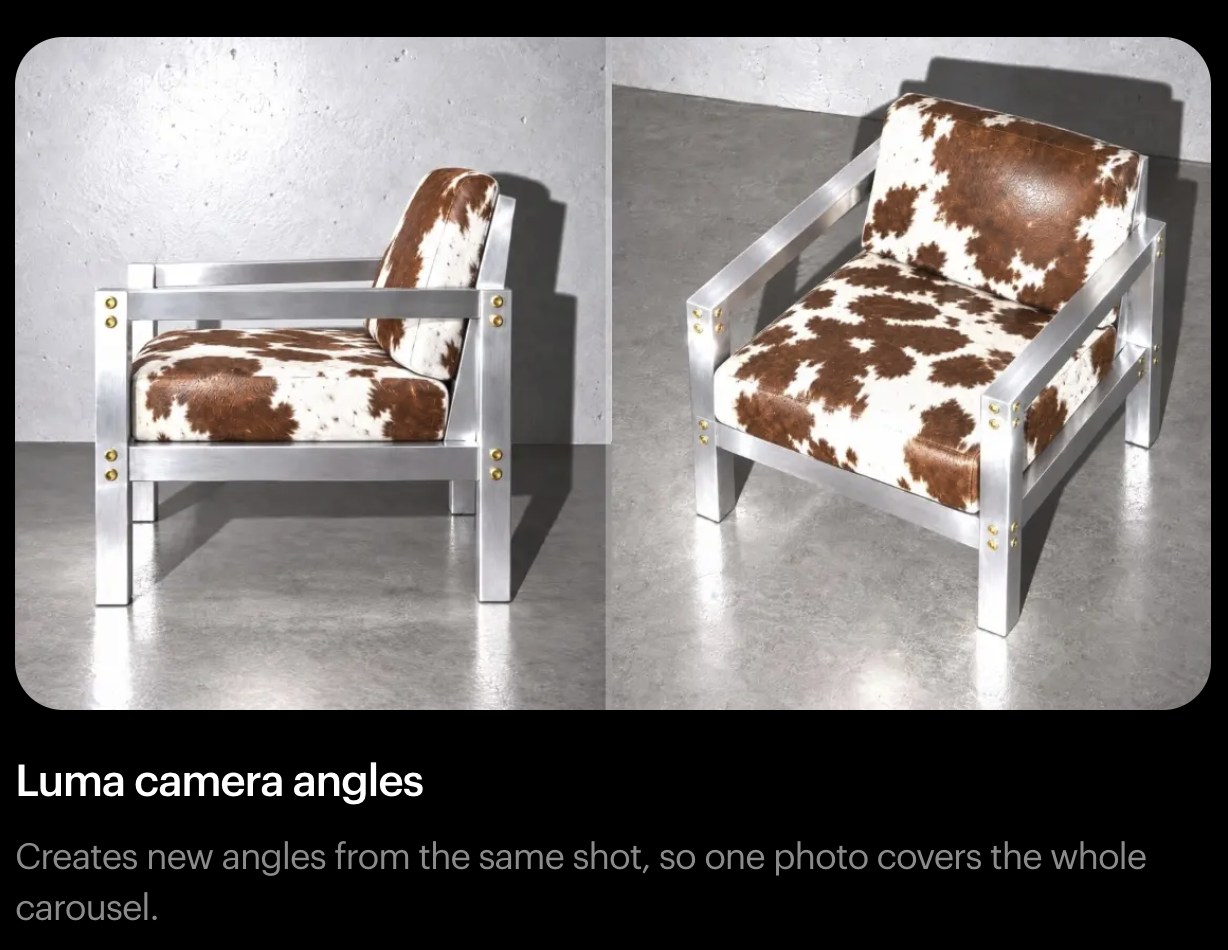
- Camera angles
- Art style match
- Background swap
- Face swap
- Ad variants
- Multi-angle shot coverage
- Relight studio
The connector also gives the chat access to Luma Agents, the company’s agentic system for running multi-step creative projects from a single prompt. According to Luma’s model information page, its current models are Ray3.2 for video, released in June, and UNI-1.1 for images. The connector announcement doesn’t say which models run behind each workflow.
Who It’s For
Luma frames the launch around ad production, where speed and volume matter. The announcement cites AppLovin data, reported by Marketing Dive: advertisers who added new creative almost every week during last year’s Black Friday and Cyber Monday saw a 23% higher median seven-day return on ad spend.
“The teams that win aren’t the biggest ones,” Luma wrote in the announcement. The pitch is that a small team, or one person, can produce campaign-scale variations from a single product photo.
For filmmakers and video producers, the more practical use is likely previs, pitch decks and quick concept frames. Commercial shooters may also find it useful for mocking up product angles or lighting setups before a shoot.
Competitive Context

Luma is part of a broader move toward creative tools that AI assistants can operate directly. Blackmagic added AI assistant support to DaVinci Resolve, covered in DaVinci Resolve 21.1 Adds AI Assistants and MCP Support. Epic brought MCP to Unreal Engine 5.8, covered in Unreal Engine 5.8 Adds MCP and MetaHuman Animator Updates.
Standalone tools are building around assistants too, like Raylight, a 3D motion graphics editor built around Claude. For a primer on the protocol behind all of this, see What Is MCP? The Model Context Protocol Explained.
Among AI video companies, Luma’s connector stands out for putting generation inside general-purpose chat apps, not just its own app or an API. Most competitors still expect users to work in their own interfaces or through third-party platforms.
The Signal in the Noise
The connector itself is a convenience feature, but the direction matters. AI video companies increasingly want to be a service that assistants call on, not just a destination app.
That also raises familiar concerns. Workflows like product shots, background swaps and ad variants overlap directly with work that product photographers, retouchers and junior designers do today. Face swap tools in ad workflows carry their own consent and likeness questions that brands will need to manage.
For now, the output is still limited by the underlying models. Teams will need to judge whether chat-generated assets hold up next to real production work.
Specs & Pricing
The connector uses your existing Luma subscription, and generations draw from your Luma credits. Luma doesn’t say which plans include connector access.
Luma’s current plans:
- Plus: $30/month, or $25/month billed yearly, with 10,000 credits
- Pro: $90/month, or $75/month billed yearly, with 40,000 credits and 4x Luma Agents usage
- Ultra: $300/month, or $250/month billed yearly, with 150,000 credits and 15x Luma Agents usage
- Team and Enterprise: contact Luma
Setup instructions are available at lumalabs.ai/mcp.
Would you rather generate video inside your AI assistant, or keep generation in a dedicated app where you have more control? Share your take in the comments.